Homes & societies

A smart home security system that knows the difference between your family and a stranger

A smart home security system should be silent when your family walks in and loud when someone else does. PGAK adds that judgement to ordinary residential CCTV — recognising the people who live there, logging every visitor at the gate, and raising an instant alert when an unknown person is at the door at an hour they shouldn't be.

Request a camera assessment. Timing and scope agreed on the call. By submitting, you ask PGAK to contact you about this enquiry. Privacy notice.

Treat this page as evaluation guidance. Product availability and site suitability require an approved configuration and technical test. Published scenarios are illustrative, not verified customer results.

Sound familiar?

  • The camera app pings all night for moths and passing headlights, so you turned notifications off.
  • You have no idea who rang the bell while the house was empty.
  • Elderly parents are home alone and you're in another city.
  • The society gate register is a notebook full of illegible names.

For an individual home

Four cameras and a DVR is the common setup, and it is enough. The intelligence goes on top.

Known faces, silent entry

Enrol your family once. When they arrive, nothing happens — which is exactly what you want a security system to do most of the time.

Unknown person at the door

An unrecognised face lingering at the gate or door raises an alert with a snapshot, so you can look before you decide.

Away mode

Leaving for a week? Any person detected on the property escalates immediately — including to a neighbour or relative you nominate.

Elderly and child awareness

Optional gentle alerts if someone leaves the compound at unusual hours, without cameras inside living spaces.
For a housing society

Society security fails at the gate, because the gate is a notebook and a guard who changes every six months. Face and vehicle recognition at the entrance turns that into a searchable log — residents' vehicles recognised automatically, visitors logged with a photo, and delivery traffic separated from everything else.

Resident vehicle recognition

Registered vehicles are logged on entry and exit without stopping at the boom.

Visitor logging with a photo

Every non-resident entry becomes a timestamped record with a snapshot, replacing the paper register nobody can read.

Common-area monitoring

Parking, clubhouse, play area and pump room — alerts only for the situations you define, not for children playing.

Privacy inside your own home

Processing runs on a device in the house. Video does not leave your premises unless you send a clip yourself, and face data is stored as a template rather than a photo album. For a system that watches your family, this matters more than any feature.

What to check before deployment

Camera and recorder streams
Confirm RTSP access or ONVIF discovery, stream stability and the views that matter. Do not send camera passwords in the enquiry form.
On-site processing
Ask which processing device is needed, how it is sized, what runs locally and what information leaves the site.
Alert acceptance
Test agreed zones in daytime and at night. Record useful alerts, nuisance alerts, missed events and end-to-end alert delay.
Complete commercial quote
Confirm enabled cameras, sites, subscription, setup, hardware, taxes and support. Use the assessed scope to compare proposals.

Get a site-specific AI video analytics price.

smart home security system — common questions

Do I need special AI cameras for my home?

No. If you already have CCTV with a DVR, PGAK almost certainly works with it. The intelligence runs on an on-site processing unit alongside the cameras you own; the assessment confirms suitability before anything is quoted.

Will it stop alerting me about my own family?

Yes — that's the point. Enrolled family members are recognised and pass silently. Alerts are reserved for unknown people, which is what makes the notifications worth keeping switched on.

Is my family's video going to a cloud server?

Not by default. Processing happens on an edge device inside the home, so footage stays on your premises. Only clips you deliberately share leave the house.

Can our housing society use this at the main gate?

Yes, and it's one of the most common deployments. Resident vehicles are recognised automatically and every visitor entry becomes a searchable record with a photo instead of a line in a register.

Start with a free audit of your own cameras.

Share your phone number, city and camera count. We will discuss your priority use case and agree the assessment scope, timing and next step with you.

A worked example

Where the cameras go on a house like this

A home is not a small factory. The positions that matter are the gate, the boundary and the approach, and there are usually four or five of them rather than twenty. This walks a plausible house position by position, with what each camera is actually for and what it needs to work.

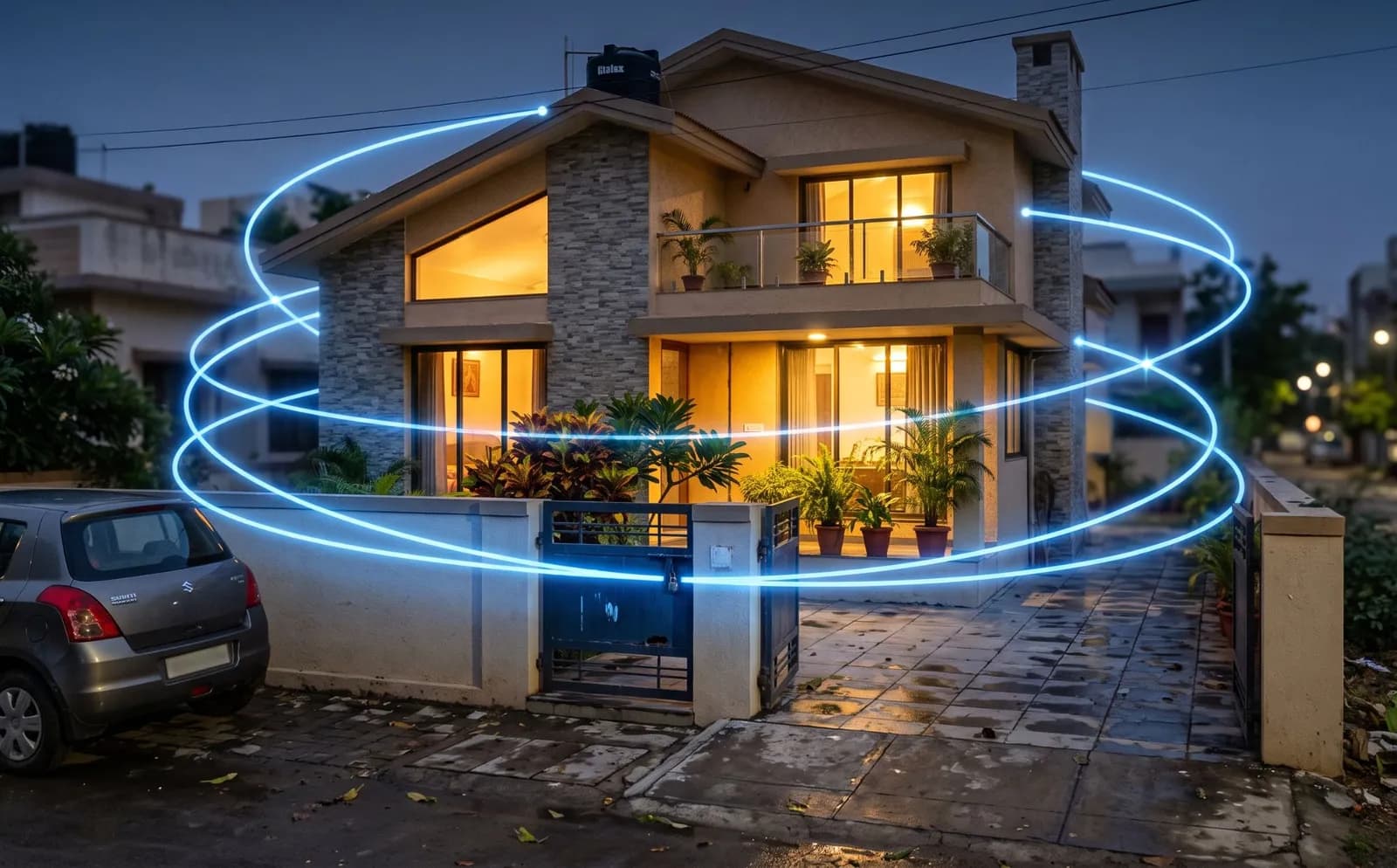
A two-storey Indian house at dusk with a boundary wall, gate, driveway and lit balcony, overlaid with a decorative ring graphic
AI-generated illustration, not a photograph of a customer's home, and the ring graphic is decorative rather than any real detection boundary. Camera positions are described below rather than drawn on, because where a camera goes depends on the building.
  1. The gate, at plate height

    Vehicles in and out, with the plate logged so the question later is a search rather than an argument. People arriving on foot are classified separately from cars.

    Needs: A camera at roughly 1.5 metres, angled along the lane rather than down at the roof of the car. Mounted high it will see that a vehicle arrived but not which one.

    See a real gate camera and console →
  2. The boundary wall and side lane

    Someone crossing a line you draw, on the schedule you set — so a delivery at four in the afternoon is not an event and the same movement at two in the morning is.

    Needs: A view along the wall rather than across it, and a fortnight of tuning against your own traffic. Overhanging branches and passing headlights are the usual culprits.

    How line crossing works →
  3. The approach and front door

    A person waiting near the gate or door for longer than the time you set. Waiting is not suspicious in itself, which is why this is a prompt to look rather than an accusation.

    Needs: A dwell threshold set per position. Set it too low and every neighbour reading their phone becomes an alert.

    How dwell time works →
  4. Everything, after dark

    The hours when residential incidents actually happen. Detection at night depends on what the sensor captured, not on processing applied afterwards.

    Needs: A camera specified for your lighting, and usually some light at the gate. Software cannot recover detail the camera never recorded.

    What low light really needs →
  5. A way to say something

    Nothing on its own — this is the speaker. Being able to tell a visitor where to wait, or make it plain to someone on the boundary that they have been seen, is often the whole intervention.

    Needs: A speaker and microphone at that position, with power and network to it. Recording audio carries obligations beyond those for video and is a separate decision.

    Two-way audio and its limits →
  6. The alerts themselves

    Dogs, shadows, branches and headlights filtered out, so the notifications that arrive are worth opening. A household that has learned to ignore its own alerts has no security system.

    Needs: Tuning on your own footage. Filtering reduces false alerts; it does not remove them, and anyone promising zero is guessing.

    How false alarms are cut →

What this does not do

  • It does not stop an intrusion. It tells you, and gives you a clip, sooner than you would otherwise have known — the response is still yours or the guard's.
  • It does not make a badly placed camera useful. A camera pointed at the street watches the street, whatever runs on it.
  • It does not extend how long footage is kept. Retention stays your recorder's job.
  • It is not a claim about your house. Which of these positions apply, and whether your existing cameras can carry them, is confirmed on your own feeds before anything is quoted.
Who you are dealing with

A registered Ludhiana company that builds the software it sells.

PGAK Innovations Pvt. Ltd. is incorporated in Punjab, engineers its own AI layer, and runs the free camera audit itself — the people who answer the phone are the people who built the product. About the company →

Founded
2023, Ludhiana
Registered office
BK Towers, 2480/2, Gill Rd, Ludhiana 141003
CIN
U62013PB2023PTC058631
Talk to us
+91 62839 93600WhatsAppOpen Mon–Sat 09:00-19:00

What a project here involves

Compatible cameras and recorders you already own are reused wherever they are suitable. Detection runs on an on-site processing unit, and camera suitability, stream access, processing hardware and network are all confirmed at the assessment — with anything extra itemised in the quote before you commit.

What the quote is made of

ComponentWhat decides itPrice
Cameras reusedWhich existing cameras give a usable view for each use case — confirmed on a still image of each view.Quoted per site
Cameras moved or addedOnly where a use case needs a view no camera has (plates and faces usually do). Each one named in the quote.Quoted per site
On-site processing unitDetection runs here, next to the recorder. Model, quantity and warranty depend on camera count and analytics.Quoted per site
Software / licencesWhich analytics on which cameras, the term, and the basis for renewal.Quoted per site
Installation and configurationStream setup, zones, schedules, alert routing and commissioning.Quoted per site
PilotAgreed scenes, acceptance criteria and duration before rollout.Quoted per site
SupportHours, response versus fix time, and who replaces failed hardware.Quoted per site
TaxesStated separately on the quote.Quoted per site

How it is evaluated

  1. 1. Self-check — Two minutes, nothing sent — find likely blockers.
  2. 2. Scope on paper — Cameras, use cases and acceptance tests, written down.
  3. 3. Site assessment — PGAK checks streams, views and network on your cameras.
  4. 4. Pilot against criteria — Precision, recall, false alerts and delay, agreed in advance.
  5. 5. Written proposal — Itemised as above; you decide whether to roll out.

Evidence for this page

No PGAK recording is published for this page yet. The capability register shows what has been demonstrated and under what conditions.

Discuss your camera setup

Share your phone number, city and camera count. We will clarify the intended use case and agree assessment scope and timing with you. Do not submit camera credentials or footage.

Request a camera assessment. Timing and scope agreed on the call. By submitting, you ask PGAK to contact you about this enquiry. Privacy notice.