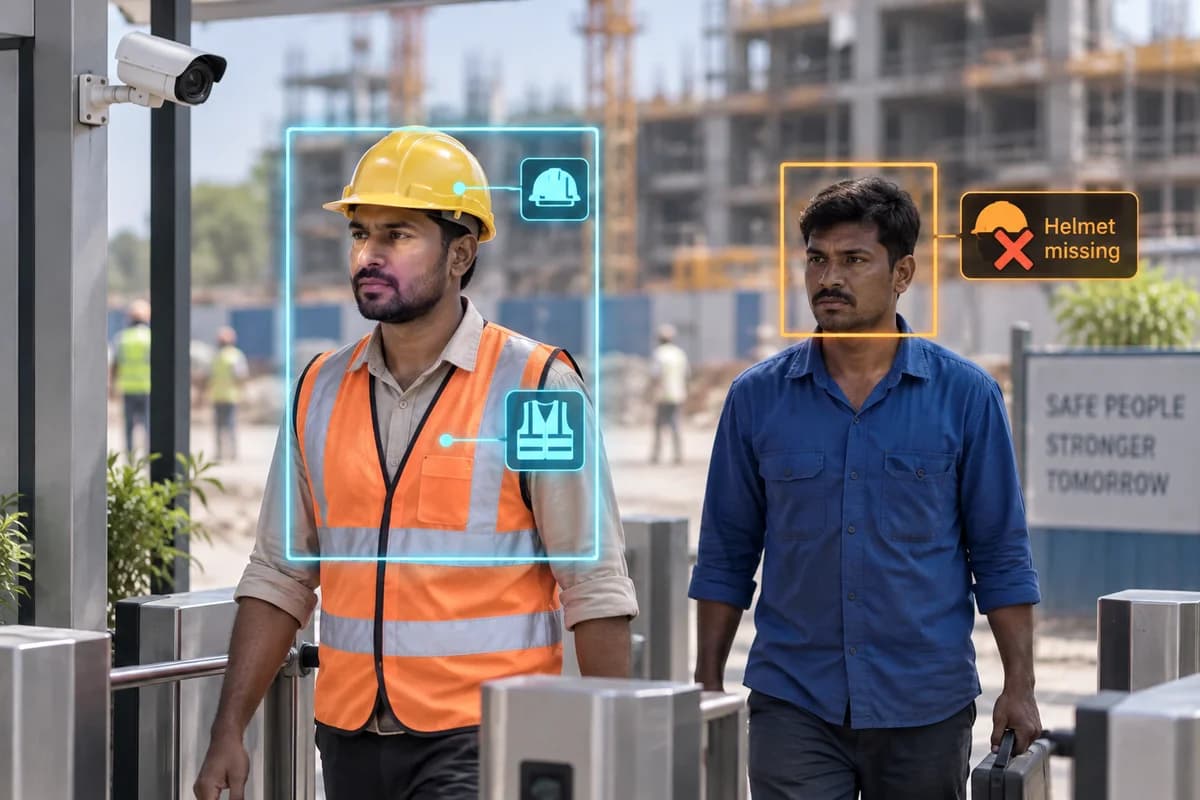
Seen on a real line
Recorded by PGAK on an existing line camera. It shows the function running under the conditions stated beside the clip; it is not a measured accuracy figure. The illustration above is a drawing of the idea.
How it works
Detect supported conditions such as missing hard hats or high-visibility clothing.
Where it could help your business
Help supervisors review PPE use at construction entry points.
Ask exactly which equipment types the system detects. Test the helmets, vests, uniforms and working positions used on your site. A clear checkpoint view may be more useful than a distant camera covering an entire construction area.
What your camera setup needs
Confirm the exact PPE classes supported. Site testing and human safety supervision remain necessary.
Does PPE detection prove that a site is compliant?
No. It checks supported visible conditions within a camera view. Equipment quality, correct use and wider safety obligations require separate assessment.
Check it on your own site
Bring a camera model list and explain the event you want to find or detect. We can use that to scope a compatibility assessment. Ask for a written proposal naming the supported functions, processing hardware, licences and pilot checks before agreeing to an installation.
Check my camera setup →