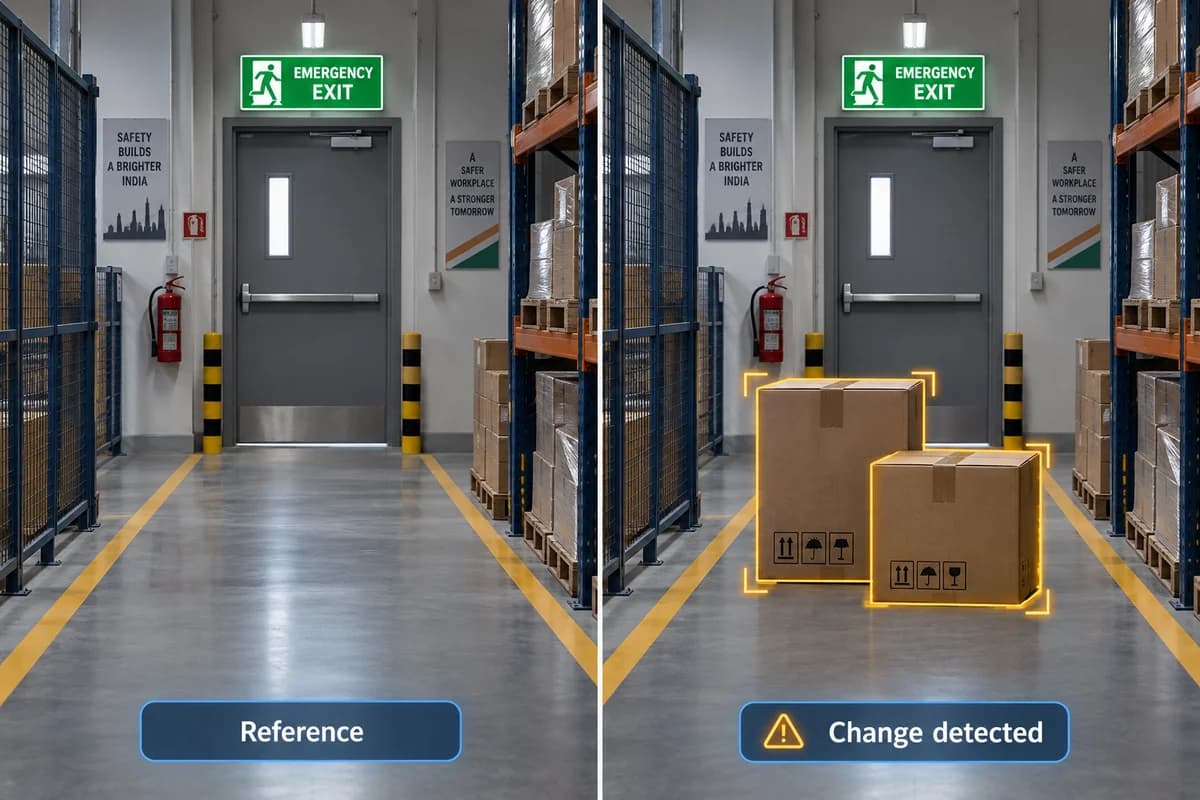
How it works
Learn a reference scene and flag changes to a monitored condition for review.
Where it could help your business
Check whether a designated factory area differs from its normal state.
Choose a scene that has a meaningful normal state. Consider cleaning, scheduled stock movement and lighting changes before deciding what counts as an exception. Test how the system resets after the area returns to normal.
What your camera setup needs
Define the normal condition and test lighting changes. This does not infer intent or understand every incident.
Is scene-change detection the same as camera tampering detection?
No. Scene change looks for a changed condition within the view. Tampering detection typically concerns a blocked, redirected or otherwise disrupted camera view.
Check it on your own site
Bring a camera model list and explain the event you want to find or detect. We can use that to scope a compatibility assessment. Ask for a written proposal naming the supported functions, processing hardware, licences and pilot checks before agreeing to an installation.
Check my camera setup →