How it works
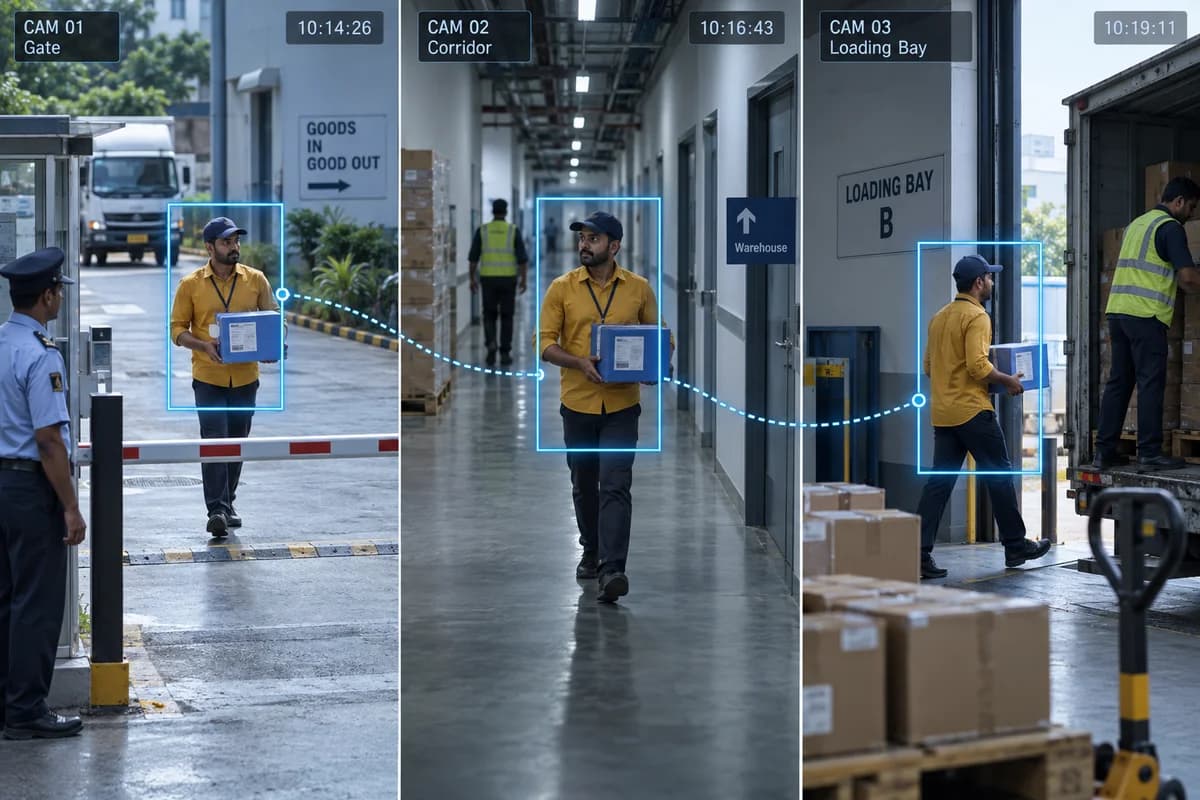
Use a reference image to find similar appearances across connected camera views.
Where it could help your business
Review a target’s appearances between a factory entrance and production area.
Test with similar-looking uniforms and vehicles, not just an easy demonstration. Gaps in coverage, changing light and obstructed views can break the trail. Treat the suggested matches as leads for review rather than a confirmed identity or a complete journey.
What your camera setup needs
Compatible cameras, metadata and search software are needed. Similarity is not proof of identity.
Is cross-camera search the same as face recognition?
No. A system may match appearance, clothing or vehicle characteristics without recognising a face. Confirm what the chosen product actually compares and what evidence an operator can inspect.
Check it on your own site
Bring a camera model list and explain the event you want to find or detect. We can use that to scope a compatibility assessment. Ask for a written proposal naming the supported functions, processing hardware, licences and pilot checks before agreeing to an installation.
Check my camera setup →