Camera intelligence · Feature guide

Custom object detection CCTV

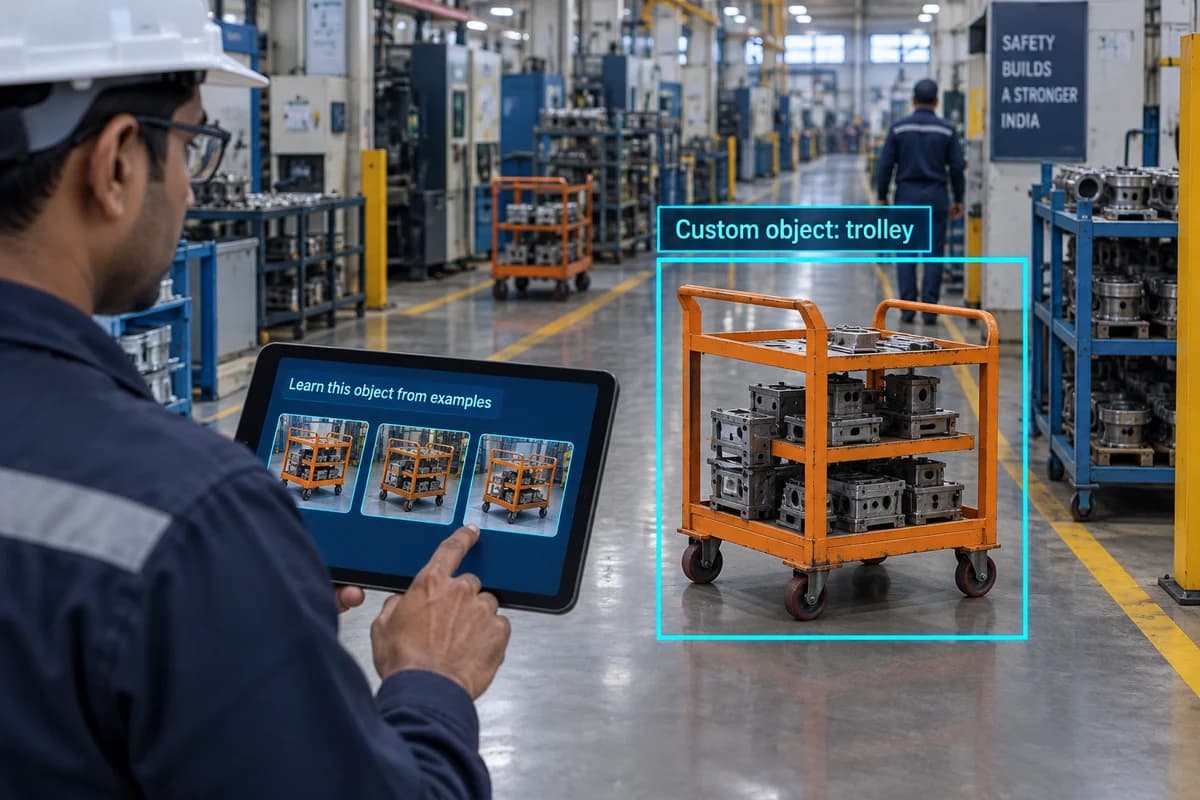
Your site may use equipment that a standard camera model does not recognise. On-site learning allows supported systems to learn a custom object from examples, such as a particular trolley used on a production floor. The result depends on the training material and installation.

Illustration teaching a camera to recognise a custom orange factory trolley
AI-generated illustration of on-site object learning. The scene and overlays explain the concept; they are not a PGAK screenshot or measured result.

How it works

Train supported cameras to recognise specific objects using examples from the installation.

Where it could help your business

Evaluate detection of a particular cart or equipment type on a factory floor.

Collect examples from different angles and normal lighting conditions. Keep some examples aside for testing rather than training. Include similar objects that should not match, so you can see whether the model has learnt the intended distinction.

What your camera setup needs

Needs supported hardware and representative training images. Not every object is suitable for learning.

Can I teach the camera to recognise anything?

No. Suitable object shape, visibility, training quality and model support all matter. Test the specific object before committing to a wider installation.

Check it on your own site

Bring a camera model list and explain the event you want to find or detect. We can use that to scope a compatibility assessment. Ask for a written proposal naming the supported functions, processing hardware, licences and pilot checks before agreeing to an installation.

Check my camera setup →

Calculator · C15

On-site learning and tuning: estimate it for your site

Use your own measurements. The result is the staff time released, shown separately from any cash, using the formula below. It runs in your browser and nothing is sent anywhere.

Fields start empty. A blank is “not entered”, not zero; type 0 where 0 is true.

From a before/after test on your own footage, not a brochure.

Money (optional)

Salary plus benefits and overheads, per working hour. Needed only if you enter a realisation above 0%.

0% unless you can name the mechanism — overtime that stops, a post not refilled, a contract reduced.

Only from your own records. May be negative.

Licences, support, connectivity. Enter 0 if there is none.

Hardware, installation, commissioning. Enter 0 if there is none.

Enter every amount on the same basis — all including GST or all excluding it. Nothing here adds or removes tax. Values are nominal rupees, not discounted.

Result

Enter your own figures, or load the worked example, to see the result.

How it is calculated

hours = false events × measured reduction × review minutes ÷ 60 − tuning hours

Worked example (illustrative inputs)

900 events; 0.4 reduction; 1 minute; 3 tuning hours.

staff time released: 3 hours a month.

Formula version 1.0.0. The full standalone tool: false alarm cost.

What this does not tell you

  • Hours released are capacity, not cash. They become cash only through a mechanism you state — overtime that stops, a post that is not refilled — entered as the realisation fraction.
  • The 'after' values are your assumptions or pilot measurements. PGAK publishes no effectiveness figure for this feature.

Evidence status: Supplier/integration or marketed capability; PGAK availability and site performance require verification.

Request a site-specific assessment with these assumptions

Your result stays on this page either way. If you want it checked against your cameras and quotation, leave a number; mention the figures on the call. Nothing you typed into the calculator is sent with this form.

Request a camera assessment. Timing and scope agreed on the call. By submitting, you ask PGAK to contact you about this enquiry. Privacy notice.