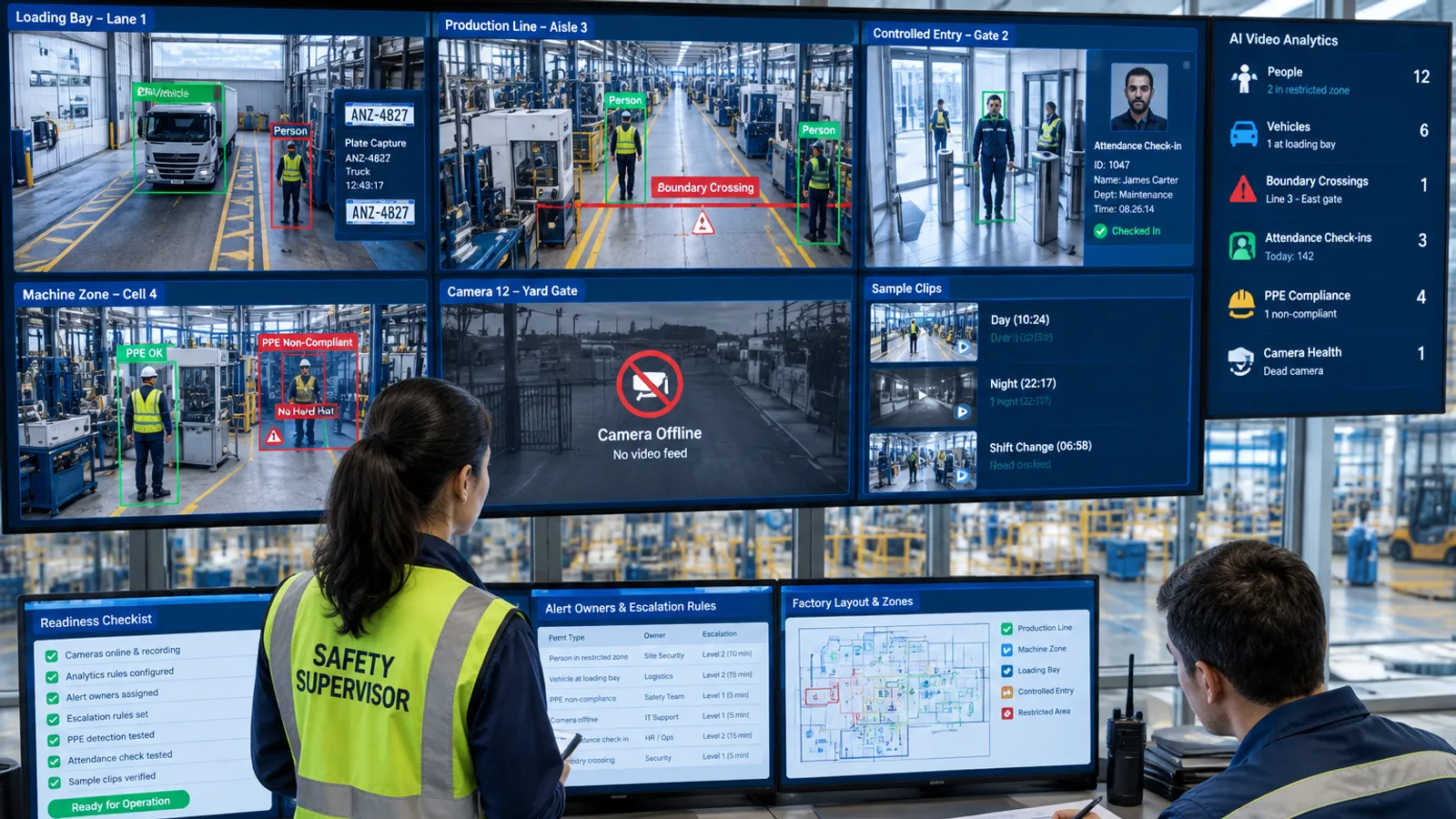
Choosing AI video analytics for a factory starts with a specific operational question and a usable camera view. A gate, loading bay and production line may need different checks, different reviewers and different evidence before a wider rollout makes sense.
This guide compares workflows to evaluate. It is not a scored supplier ranking or an independent product test. AI Alerto by PGAK is one option for assessment on compatible existing CCTV; no universal compatibility, review-time saving or detection result is established by this article.
Define the factory evaluation scope
Write down the decision the system should support. Examples include reviewing a person entering a restricted area, finding a possible vehicle entry, reviewing attendance exceptions at a controlled entrance or checking a visible PPE item in a defined zone. Name the source camera, the expected output and the person responsible for reviewing it.
ANPR, face attendance and PPE detection are capability categories, not competing products to rank against a platform. A proposed platform may include some of these functions, require an additional component or leave a workflow outside its scope. Ask for the exact supported configuration and compare suppliers against the same evaluation questions.
Begin with one workflow whose result can be checked. Multiple departments can contribute requirements, but each proposed function needs its own evidence and owner. A long feature list does not show that every camera, scene or operating condition has been tested.
Check readiness before using a live production view
- Map the view to the task. Record the camera and recorder model, firmware, stream or client access, resolution, frame rate, lighting and processing arrangement. A visible picture alone does not establish analytics compatibility. Where ONVIF conformance is relevant, check the specific product, profile and firmware/software version in the official ONVIF database; that does not replace a test of the proposed integration.
- Review representative conditions. Use permissioned examples from day, night and shift change. Check glare, motion blur, backlight, obstructions and how large the relevant person, plate or item appears. Record unusable views as well as suitable ones. If processing design is open, compare the AI NVR and separate analytics-box options.
- Agree receipt and review. Identify the primary recipient, backup, expected notification or report and response procedure. Test whether a result is received and acknowledged in the agreed configuration. A configured destination does not prove that a person received an alert.
- Define the reference and exceptions. Agree how a person will independently check the sample, how missed events and incorrect alerts will be recorded, and who can approve the result. Keep uncertain cases visible rather than counting them as successful detections.
An assessment can lead to reuse, a camera adjustment, additional hardware or a decision to defer the workflow. Confirm recording continuity, access arrangements and responsibility for any change before work begins.
Evaluate vehicle and loading-bay records
ANPR can be evaluated where a plate is visible in a defined lane and the site needs a reviewable vehicle record. Check representative plate types, approach directions, speed, lighting and failed reads. The Axis License Plate Verifier documentation illustrates how device compatibility, capture settings, mounting and regional settings affect one vendor's implementation; it is not a PGAK performance result.
A plate-read event is not proof of driver identity, the goods carried, a completed delivery or approval to release a vehicle. If the requirement includes bay allocation, an allowlist or a barrier, document the additional integration, decision owner and exception procedure. Measure whether the resulting record helps the actual task instead of assuming that plate search is faster than the current process.
Use the factory-gate ANPR checks to prepare the view and test questions. Keep loading counts and SKU or dispatch verification as separate requirements.
Evaluate attendance exceptions at controlled entrances
Face attendance may be considered when a site needs to review possible matches to enrolled people and reconcile time records. Suitable views, approved enrolment, actual shift patterns and a human exception process all need attention.
An observed entry or possible identity match does not establish continuous presence, hours worked or payroll entitlement. Test the arrival and exit paths, missed captures, uncertain matches, midnight boundaries and corrections before relying on records. Record who can review and amend an exception and what evidence remains after the correction.
The face-attendance assessment should therefore start with the site's recordkeeping problem and actual entrance conditions. Access rights, tailgating and visitor control may need separate systems and approvals.
Evaluate visible PPE exceptions in a defined area
PPE analytics can be assessed for a named visible item in a specific camera view. Agree the equipment type, work area, relevant poses, obstructions and review procedure before testing. A demonstration involving one item or scene does not validate every helmet, glove, uniform or production line.
Review both possible exceptions and missed cases against permissioned reference footage. Camera output cannot by itself establish full safety compliance or replace supervision, protective measures and the site's safety procedures. Keep the proposed PPE detection scope tied to what can be seen and checked.
Compare scope and evidence before comparing prices
| Workflow to evaluate | Evidence to request | Items the written scope must settle |
|---|---|---|
| Restricted-area or dwell review | Representative events, missed events and incorrect alerts with source clips | Zones, time rules, operating conditions, recipients and review responsibility |
| Vehicle plate records | Plate-read examples and failed or uncertain cases from the intended lane | Supported plates, capture arrangement, retention, integrations and manual exceptions |
| Attendance exceptions | Arrival/exit samples, possible matches, missed captures and correction records | Enrolment, identity review, shifts, permissions and approval before payroll use |
| Visible PPE exceptions | Item-specific examples and an independently checked sample | Equipment types, camera views, limitations and supervisor action |
| Camera-health review | The actual failure signal and receipt/recovery record | Which faults are detected, notification path, backup owner and repair responsibility |
The table is a buying worksheet, not a promise that all functions are available in one configuration. For AI Alerto by PGAK, request a site-specific quotation that identifies selected cameras and analytics, processing hardware, integration, licence basis, renewal, support and exclusions. This guide does not establish a per-camera-per-month tariff or relative deployment cost.
Decide whether a scoped pilot earns expansion
Agree one line, bay or entrance, a defined set of conditions and a review period. Record configuration changes during the pilot so results from different settings are not silently combined. Keep the original observations, the independent reference, incorrect or missing outputs and the reviewer's decision together.
At the end, decide which parts met the agreed criteria, which need adjustment and which remain unsupported. Measure operational effects, including review time or acknowledgement, only when a suitable comparison exists. Event summaries, where supported, can help locate material to review; the source clip and human judgement remain necessary.
Talk to PGAK about a scoped factory assessment using your existing CCTV. Bring the operational question, camera and recorder details, and the person who will review the result. Agree a permitted way to share any footage separately; do not include credentials or private footage in a public enquiry.