Protect & respond · Feature guide

Video smoke and flame detection

Specialist video fire detection looks for visible patterns associated with smoke or flames. In a suitable industrial setting, it can provide an additional view of an emerging incident. This is a specialist design decision, not a general feature to assume on every AI camera.

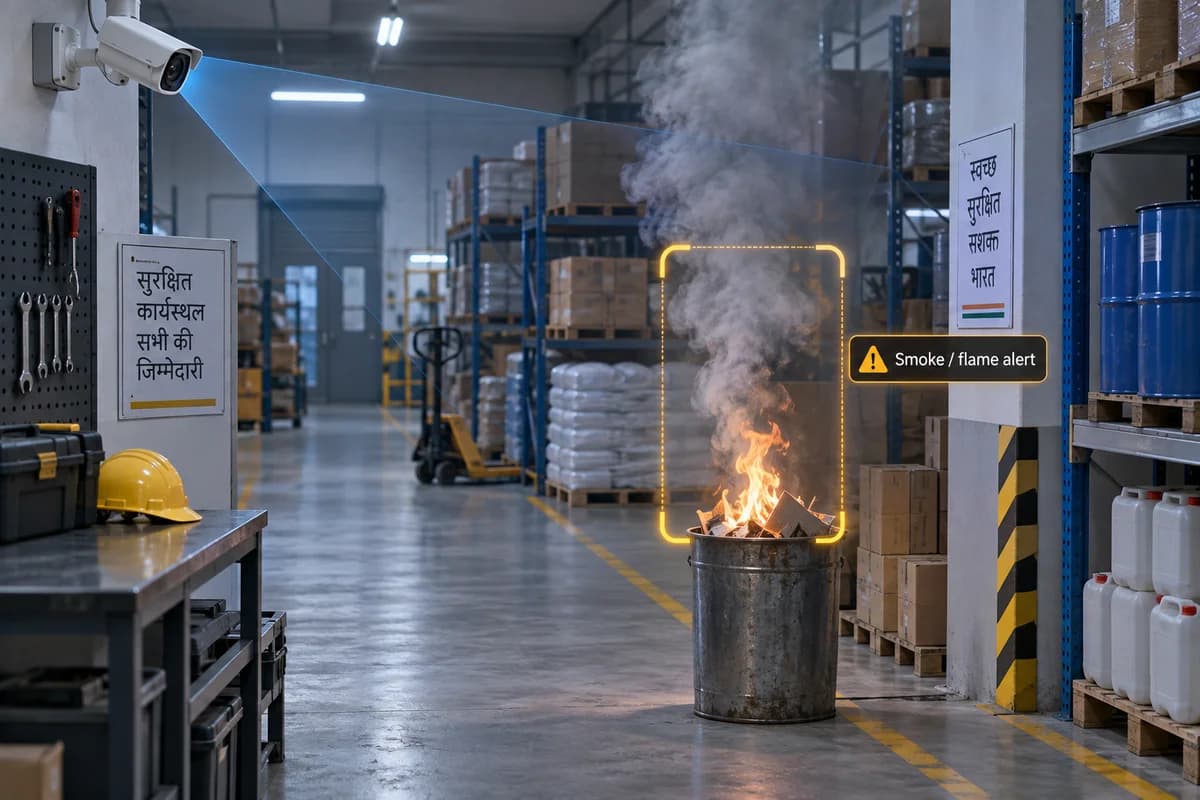
Illustration of video analytics marking smoke and flames rising from an industrial waste bin
AI-generated illustration of smoke & flame detection. The scene and overlays explain the concept; they are not a PGAK screenshot or measured result.

How it works

Specialist video analytics look for visual patterns associated with smoke or flames.

Where it could help your business

Assess additional visual detection coverage for an industrial facility.

Involve a qualified fire-system professional before selecting equipment or deciding its role. The camera view, lighting, likely fire conditions and response process all affect the design. Follow the manufacturer’s commissioning and approved testing procedures.

What your camera setup needs

Requires specialist equipment and professional fire-system design. Ordinary CCTV is not a substitute for required fire protection.

Can an ordinary CCTV camera replace fire detectors?

Do not assume it can. The role of video detection depends on the approved equipment, system design and applicable requirements. Existing required fire protection must remain properly addressed.

Check it on your own site

Bring a camera model list and explain the event you want to find or detect. We can use that to scope a compatibility assessment. Ask for a written proposal naming the supported functions, processing hardware, licences and pilot checks before agreeing to an installation.

Check my camera setup →

Calculator · C20

Smoke and flame video detection: estimate it for your site

Use your own measurements. The result is the staff time released, shown separately from any cash, using the formula below. It runs in your browser and nothing is sent anywhere.

Fields start empty. A blank is “not entered”, not zero; type 0 where 0 is true.

Money (optional)

Salary plus benefits and overheads, per working hour. Needed only if you enter a realisation above 0%.

0% unless you can name the mechanism — overtime that stops, a post not refilled, a contract reduced.

Only from your own records. May be negative.

Licences, support, connectivity. Enter 0 if there is none.

Hardware, installation, commissioning. Enter 0 if there is none.

Enter every amount on the same basis — all including GST or all excluding it. Nothing here adds or removes tax. Values are nominal rupees, not discounted.

Result

Enter your own figures, or load the worked example, to see the result.

How it is calculated

hours = checks × (old − assisted) ÷ 60 − verification hours

Worked example (illustrative inputs)

60 checks; 5 old; 2 new; 1 verification hour.

staff time released: 2 hours a month.

Formula version 1.0.0.

What this does not tell you

  • Hours released are capacity, not cash. They become cash only through a mechanism you state — overtime that stops, a post that is not refilled — entered as the realisation fraction.
  • The 'after' values are your assumptions or pilot measurements. PGAK publishes no effectiveness figure for this feature.
  • This estimates review effort only. It does not value injuries or lives, does not promise that any incident is prevented, and is not a replacement for certified alarms, required guards or supervision.

Evidence status: Supplier/integration or marketed capability; PGAK availability and site performance require verification.

Request a site-specific assessment with these assumptions

Your result stays on this page either way. If you want it checked against your cameras and quotation, leave a number; mention the figures on the call. Nothing you typed into the calculator is sent with this form.

Request a camera assessment. Timing and scope agreed on the call. By submitting, you ask PGAK to contact you about this enquiry. Privacy notice.