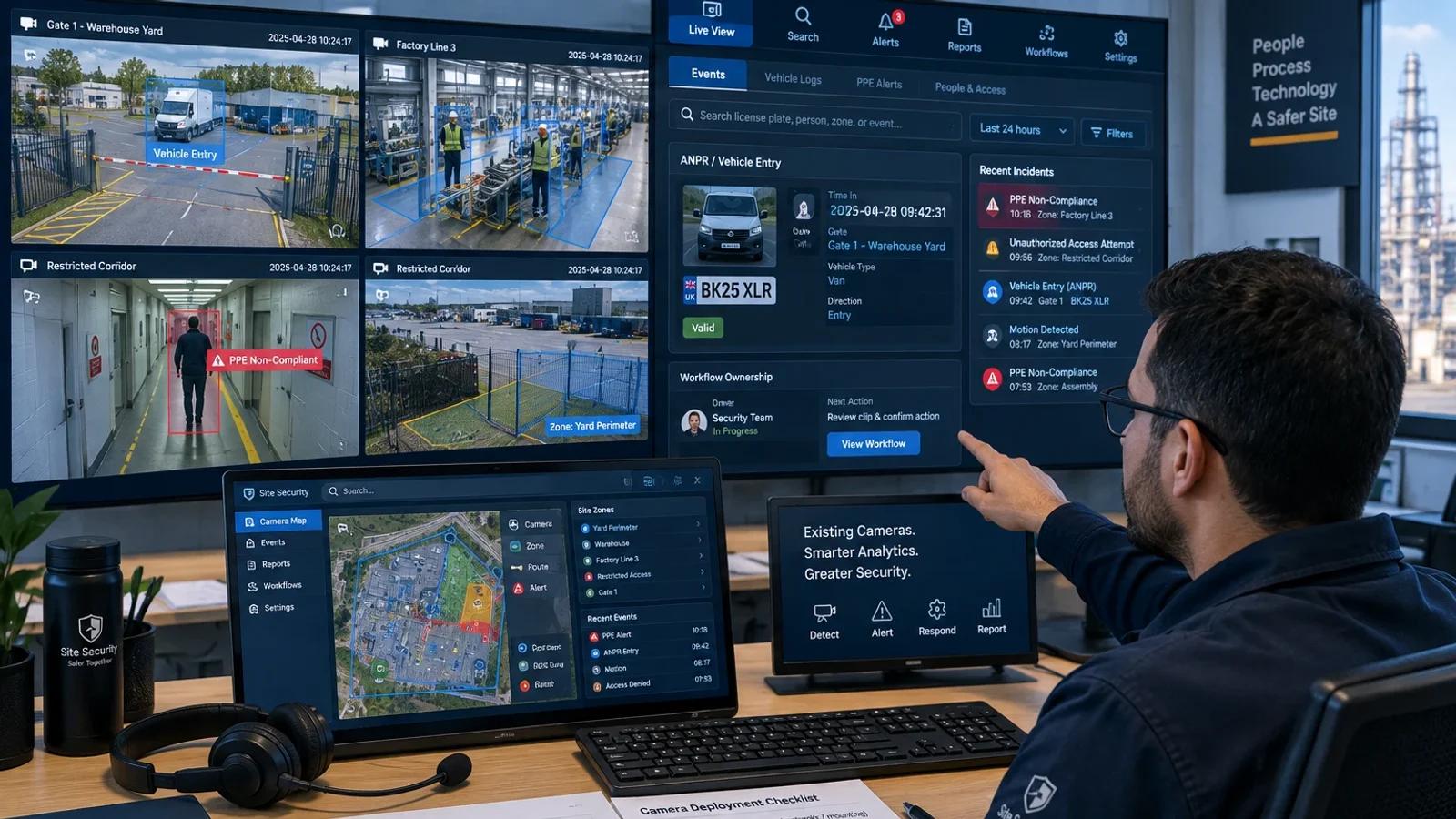
Video analytics software is worth using when it fits the cameras you already have and one site problem you need fixed. The right choice is usually not the platform with the longest feature list, but the one your team can deploy cleanly and act on without confusion.
That matters because most sites already have CCTV in place. What they often lack is a reliable way to pull out the few events that need attention now, not later in a footage review. A factory may need PPE checks on one line. A warehouse may need after-hours alerts in one yard. A retail site may need clear vehicle logs at the gate. This article shows what to check first, which modules suit common problems, and how to judge whether a pilot deserves a wider rollout.
Start with the cameras and the outcome you want
Check whether the current CCTV setup is usable
Do not start with software brochures. Start with camera position, image quality, lighting, and whether the scene actually shows the event you want to detect. If a gate camera cannot read a plate clearly, no analytics layer will fix that.
Check recording continuity, network paths and authorised stream access. Record the camera and recorder model, firmware, supported interfaces and processing requirements for the proposed analytics. Where ONVIF is relevant, its conformance database ties support to the specific product and firmware/software version; a compatible integration still needs verification. Use a camera readiness check to identify what can be evaluated and what remains uncertain.
Define the one problem you want solved first
Pick one outcome that is easy to explain to operations. Good examples are after-hours intrusion in a yard, vehicle entry logs at a gate, or bare-hand detection on a line. Avoid bundling several goals into the first deployment.
A narrow start makes testing easier. It also helps you tell the difference between a real operational gain and a system that only looks good in a presentation.
Decide who will act on alerts or reports
An alert has value only if someone owns it. Before you buy, decide whether the response sits with security, operations, HR, EHS, building staff, or a remote owner.
Reports need ownership too. If no one reviews plate logs, attendance events, or safety exceptions, the software becomes another screen that nobody trusts.
What video analytics software should do on an existing CCTV system
Turn live video into searchable events
On an existing CCTV system, good analytics should convert continuous video into events your team can search, review, and act on. Instead of scrolling through footage, they should see tagged moments such as a vehicle entry, a person in a restricted area, or a missed PPE check.
That is the core value on sites that already have cameras. The system should narrow attention to the few scenes that matter, while keeping the source clip easy to verify.
Work with a scoped deployment instead of a full rip-and-replace
Most buyers do not need a full rebuild. They need a scoped analytics deployment that sits on top of the current setup, uses the right camera feeds, and covers a defined area or workflow.
That approach reduces disruption. It also exposes weak points early, such as poor angle at a gate or backlight near an entrance, before you commit to a wider rollout.
Fit the site’s workflow, not just the camera feed
A system can detect an event and still fail the site. The reason is often simple: the alert goes to the wrong team, reaches them too late, or arrives without the context they need to act.
So judge the software by workflow, not only by detection. Ask where alerts will appear, how footage will be reviewed, how exceptions will be closed, and what record remains after action is taken. On a busy site, clear handling matters as much as detection quality.
Match the module to the problem you actually need solved
Use ANPR at gates and vehicle entries
If your main problem is vehicle movement, start with plate recognition. It suits factories, warehouses, housing societies, offices, and managed properties where the gate register is slow, incomplete, or hard to search later.
A good fit here is a searchable ANPR system tied to the entry lane and the guard process. The aim is a reviewable plate-event record, with failed and uncertain reads retained for review. Measure whether it improves the gate process; a plate event does not establish driver identity, cargo, delivery completion or authorisation to release a vehicle.
Do not add face attendance or PPE modules to this use case unless they solve a separate problem you are ready to own. Gate control works best when it stays focused.
Use face attendance where staff movement matters
Start with face attendance when entry discipline, shift timing, or movement between controlled areas is the real issue. This usually fits offices, plants, contractor-heavy sites, and multi-building campuses where time records depend on clean identity events.
The camera view, approved enrolment and exception handling must match actual arrival and exit paths. A possible face match or entry event does not establish continuous presence, hours worked or payroll entitlement. Agree a human review and correction process before records inform a payroll decision.
If the real pain is tailgating, visitor management, or access rights, say so early. Those needs may require a different setup around the same cameras.
Use PPE detection where safety compliance is the priority
PPE detection makes sense when supervisors need help spotting basic non-compliance in known work zones. It is most useful where the rule is specific, the camera sees the area clearly, and a supervisor can review the exception quickly.
Keep the first scope tight and name the PPE item, view and operating conditions. Review incorrect and missed cases against a permissioned reference sample. A camera exception is not a finding of full safety compliance and does not replace supervision or the site's protective procedures.
This is where many buyers overbuy. They ask for every safety rule at once, then struggle to tune the system or decide who follows up. Start with the repeated issue that has a clear owner.
Choose the deployment style that your team can support
Cloud, on-site processing, or a hybrid setup
Deployment style affects speed, reliability, and day-to-day support. Some sites want central access from multiple locations. Others want processing to stay on site because connectivity is uneven or live response matters more than remote review.
This table shows the trade-offs between common deployment styles.
| Setup | Best fit | Main strength | Main watch-out |
|---|---|---|---|
| Cloud | Evaluate remote access and central review requirements | Confirm supported access, storage and processing | Test connectivity, latency, permissions and outage behaviour |
| On-site processing | Evaluate processing at the site | Confirm hardware capacity and supported analytics | Test recording, processing and alert receipt separately; local hardware alone does not guarantee speed or continuity |
| Hybrid | Evaluate which functions run locally and remotely | Document the split and interfaces | Test each dependency and assign support and recovery responsibility |
Why an AI appliance can make sense on busy sites
An AI appliance may be proposed when selected analytics require local processing. Verify the supported workload, hardware, power, network and notification paths. Local processing does not by itself establish faster receipt, recording continuity or reliable operation during an outage.
The design should state which components are required and why. Test the actual configuration rather than inferring processing needs or reliability from camera count alone.
Why installation and configuration matter as much as software
Analytics quality depends heavily on where cameras point, how zones are drawn, what rules are set, and how alerts are routed. Poor setup can make good software look weak. Good setup can make a modest scope perform well.
This is why a site-based pricing quote matters more than a generic rate card. The real cost sits in fit, integration, and the work needed to make the system usable on your site.
How to compare vendors without overbuying
Ask for a camera readiness assessment first
A serious vendor should begin by checking whether the current cameras are suitable for the chosen use case. That means angle, lighting, coverage, stream access, and the operational path after an alert or report is raised.
This first check tells you whether the job needs only software, some camera adjustment, or a different scope. It is a better buying step than comparing long module lists.
Look for pilot tests with a defined scope
A pilot should cover one site problem, a fixed set of cameras, and a clear way to review output. Keep it narrow enough that your team can say what improved and what still needs tuning.
That is the practical way to assess analytics software for existing CCTV. Broad pilot promises often hide weak ownership and make results hard to judge.
Compare what is included in integration and support
Many offers look similar until deployment begins. Then the difference shows up in camera onboarding, alert setup, user access, report format, tuning, and post-install support.
Ask what the vendor will configure, what your team must manage, and how changes will be handled after go-live. Support quality often decides whether the system is used daily or quietly ignored.
Use the first site audit to decide what to roll out next
Use the first audit to confirm three things. The cameras should support the chosen use case. The site should have one clear owner for alerts or reports. The scope should stay small enough to assess properly. If any one of these is missing, pause before you approve the pilot.
A careful first step avoids a common mistake. Buyers often approve software before they check whether the scene, workflow, and response process are ready. That leads to weak results and extra rework.
Review the pilot against agreed criteria: representative conditions, independently checked events, missed and incorrect outputs, actual receipt and acknowledgement, and the reviewer's decision. Any claimed improvement in time or operational outcome needs a suitable comparison. Record unresolved cases before deciding whether to expand.
Before you expand, request a camera readiness assessment for the next scope. AI Alerto by PGAK is one option to evaluate on compatible existing CCTV. Confirm capability evidence, the accepted owner and backup, and a written scope before approving further work.
Frequently asked questions
Can video analytics software work with existing CCTV cameras?
Some existing systems may be suitable. Confirm the camera and recorder model, firmware, supported stream or client access, processing requirements and proposed analytics, as well as the actual view, lighting and scene. A usable picture alone does not prove compatibility; evaluate the agreed configuration before approval.
Do I need an AI appliance for video analytics software?
An appliance is one processing option. Confirm where the selected analytics run, the supported hardware and stream load, and the dependencies for recording, processing and notification. A smaller camera count does not by itself prove that an appliance is unnecessary. Measure latency and continuity in the agreed configuration.
Which analytics module should I start with on a new site?
Choose one workflow with a clear owner and a result that can be independently reviewed. Plate records, attendance exceptions or visible PPE checks may be candidates, subject to capability and camera suitability. Keep identity, payroll approval and overall safety compliance separate from a detection or possible match.
What should I check before approving a pilot deployment?
Check camera suitability, scope, ownership, and the response workflow before approving a pilot. You should know which cameras are included, who will receive alerts or reports, how output will be reviewed, and what would count as a useful result for the site.